M4B Converter
Turn folders of MP3s into chaptered audiobooks. A free Mac app.
Version 1.0, signed and notarized by Apple. For Apple silicon Macs on macOS 14 or later. Needs ffmpeg. Free and open source under the MIT license.
Contents
- Converts in batches
A folder of MP3s is one book. A folder of folders is several, and three convert at a time.
- Makes real chapters
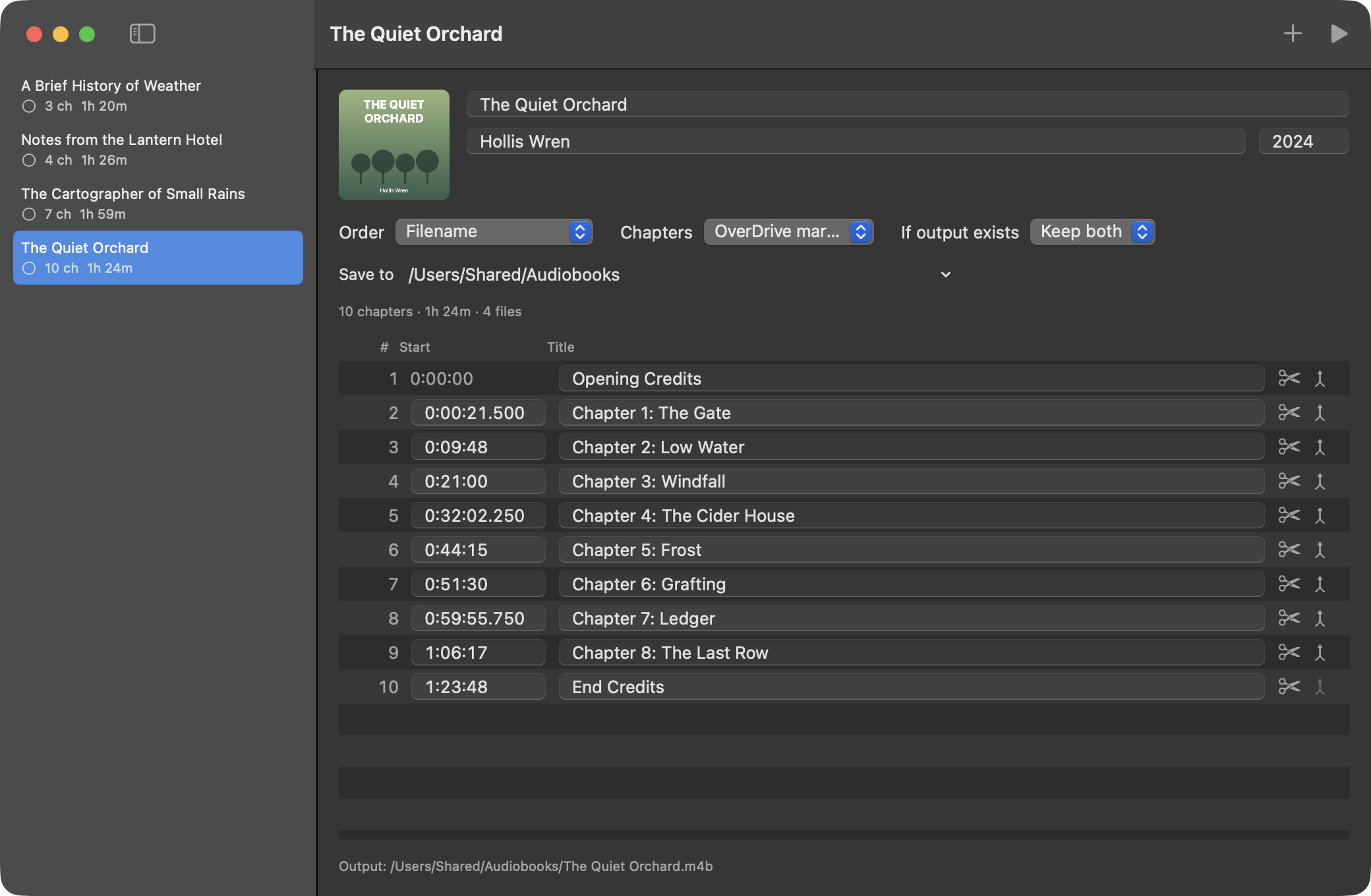
From OverDrive markers, one per file, or a filename pattern. Rename, retime, split or merge any of them before converting.
- Fills in the details
Title, author and year come from the MP3 tags, and the cover from an image in the folder. Fix anything before it's written.
- Checks every file it makes
Each .m4b is measured again afterwards. A book isn't marked done unless its chapters and length match the plan.
- Audits the books you have
Point it at existing .m4b files to find ones that are cut short or damaged.
Getting started
- Download the zip, open it, and drag M4B Converter into Applications.
- Install ffmpeg, which does the encoding. With Homebrew:
brew install ffmpeg - Open the app and drop a folder of MP3s on the window. Check the chapters, then press Convert All (the play button).
Questions
- How do I convert MP3 to M4B on a Mac?
- Drop the folder of MP3s on M4B Converter, check the chapters, and press Convert All. It writes one .m4b file with chapters, title, author and cover, using ffmpeg to do the encoding.
- Will the M4B work in Apple Books and Audiobookshelf?
- Yes. The files have standard chapter markers and tags, so Apple Books, Audiobookshelf and other audiobook players show the chapters and details.
- Where do the finished files go?
- Next to the folder each book came from, unless you pick one folder for everything in Settings.
- Will it delete my MP3s?
- No. After a book converts and checks out, you can choose to move its MP3 folder to the Trash. It always asks first, and it never deletes anything outright.
- Does it need the internet?
- No. It has no account, no tracking, and makes no network connections.
If it saved you an evening of fiddling with chapter files, you can buy me a coffee.
Tip on Ko-fi